| Features |
E-XD++
Professional |
E-XD++
Enterprise |
|
Description |
|
|
Flow Diagramming Solution
+
Electronic form Solution
|
Enterprise Class .NET/VC++ Visualization Source
Code Solutions
|
|
Full
Compatible with MFC/C++ |
 |
|
|
100%
MFC/C++ Source Codes Shipped |
|
|
|
With
Single Page and multiple pages support (See sample CustomMSample
and TestSDI Sample) |
|
|
|
Drag
and Drop |
|
|
|
Microsoft
Visio - Like ToolBox Window |
|
|
|
Custom
Property and User Data |
|
|
|
Clipboard
Support (With Text Emf, bitmap and XD++'s format). |
|
|
|
Measurement
units |
|
|
|
Shape
Moving |
|
|
|
Shape
Resizing |
|
|
|
Shape
Rotating |
|
|
|
Alignment
Layout |
|
|
|
Space
layout |
|
|
|
Size
Layout |
|
|
|
Order
Layout |
|
|
|
Ruler
(Horizontal and Vertical ) |
|
|
|
Horizontal
guidelines |
|
|
|
Vertical
guidelines |
|
|
|
Grid
and glue to grid |
|
|
|
Print,
Print preview |
|
|
|
Page
setup |
|
|
|
Export
to EMF and bitmap |
|
|
|
Background
Resizing |
|
|
|
Drawing
line |
|
|
|
Drawing
Rectangle |
|
|
|
Drawing
Ellipse |
|
|
|
Drawing
Text |
|
|
|
Drawing
Bezier Line |
|
|
|
Drawing
Close Bezier Line |
|
|
|
Drawing
Round Rectangle |
|
|
|
Drawing
Text Art |
|
|
|
Text
Entering On Canvas (For text shape) |
|
|
|
Text
Entering On Canvas (For any shapes) |
|
|
|
Single
Line or Multiple Lines Text editing |
|
|
|
Loading
bitmap file |
|
|
|
Loading
emf file |
|
|
|
Loading
wmf file |
|
|
|
Loading
pcx file |
|
|
|
Loading
jpeg file |
|
|
|
Loading
gif file |
|
|
|
Loading
ico file |
|
|
|
Loading
png file |
|
|
|
Loading
mng file |
|
|
|
Loading
TGA file |
|
|
|
Play
GIF89a file |
|
|
|
Group
/ UnGroup Shape |
|
|
|
Lock
/ UnLock Shape |
|
|
|
Drawing
Polygon Shape |
|
|
|
Drawing
Polyline Shape |
|
|
|
Create
Link Shape |
|
|
|
Automatic
create links between all selection shapes |
|
|
|
Zooming |
|
|
|
Composite
Shape |
|
|
|
Drawing
freehand line |
|
|
|
Change
Printing Page |
|
|
|
Show
/ Hide Grid Line |
|
|
|
Snap
To Grid |
|
|
|
Composite
Shape |
|
|
|
Nudge |
|
|
|
Panning |
|
|
|
Unicode |
|
|
|
Drag
/ Drop OLE Object |
|
|
|
Measure
Unit (Inch, Feet, Yards, Mile, MM, CM. M, KM, point) |
|
|
|
Macro
Action |
|
|
|
Custom
Print Page |
|
|
|
Lines
Connect, Line and Curve Connect |
|
|
|
AppWizard
for Visual Studio |
|
|
|
Microsoft
Visual Basic |
|
|
|
Delphi |
|
|
|
Microsoft
Internet Explorer |
|
|
|
Borland
C++ Builder |
|
|
|
Microsoft
Visual C++ 6.0, 7.0, 7.1, 8.0 |
|
|
|
Port
Style Setting |
|
|
|
UCCDraw's
Source Code |
|
|
|
Another
Five Anchor Point (Like the control point within Round Rectangle
Shape) |
|
|
Dimension
Shape
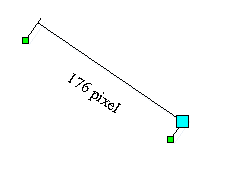 |
|
|
|
Adding
or Removing Port |
|
|
|
Editing
Port within any shape |
|
|
|
Editing
Custom Property by supporting Undo / Redo |
|
|
|
ClassWizard.exe
and New Class Code generator |
|
|
|
Glue
to shape's vector |
|
|
|
Glue
to shape's handle |
|
|
|
Bitmap
Menu with ico support |
|
|
|
Adding
Combobox on toolbar |
|
|
|
Drop
- down color picker, line - width picker, line - type picker on
toolbar |
 |
|
|
Drop
- down color picker, line - width picker, line - type picker
Control Window |
|
|
|
Grid
Shape |
|
|
|
Word
- Like table shape (Cell split, Merge, Remove, etc.) |
|
|
|
Ruler |
|
|
|
Visio
2007 like Ruler |
|
|
|
Create
Copy of any datamodel |
|
|
|
Text
Enter EditBox |
|
|
|
Text
Enter ComboBox |
|
|
|
Text
Enter Multiple - Columns ComboBox |
|
|
|
Button
with Click Event |
|
|
|
Spin
- EditBox with Text Enter |
|
|
|
ListBox
with Text Enter |
|
|
|
Mucancode.net
EditBox with Text Enter |
|
|
|
Password
EditBox with Text Enter |
|
|
|
Slider
Control with Drag and click Event |
|
|
|
EditBox
with click button |
|
|
|
Tab
Control Shape |
|
|
|
Grid
shape with Text Enter |
|
|
|
HyLink
Button |
|
|
|
Drawing
Arc Line |
|
|
|
Draw
Pie Shape |
|
|
|
Drawing
Chord Shape |
|
|
|
Click
Event for any shape |
|
|
|
Office
XP Style Color Picker, Arrow Picker, Line Width Picker, Line Style
Picker |
|
|
|
Full
Screen |
|
|
|
High
- Bird Panning Window |
|
|
|
Multiple
- selection Tool (Much like Smartdraw) |
|
|
|
Flat
combobox on toolbar |
|
|
|
GDI
Visual Proxy |
|
|
|
GDI+
Visual Proxy (Drawing any shape with GDI+ Skin) |
|
|
|
Toolbox
Item with Label Editing |
|
|
|
ToolBox
Item with tooltip |
|
|
|
ToolBox
Item with Visio 2003 like tooltip |
|
|
|
Adobe
PDF Reader like multiple pages support (See Sample
ExtMultiMDISampe) |
|
|
|
multiple
pages with page context support (See sample ExtMultiMDISampe) |
|
|
|
Dialog
Bar |
|
|
Visio
2003 - like control handle
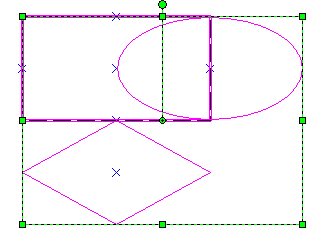 |
|
|
Mirror
shapes
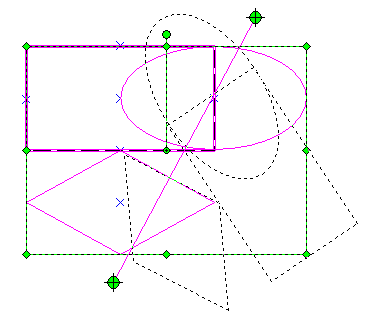 |
|
|
Helpline
support
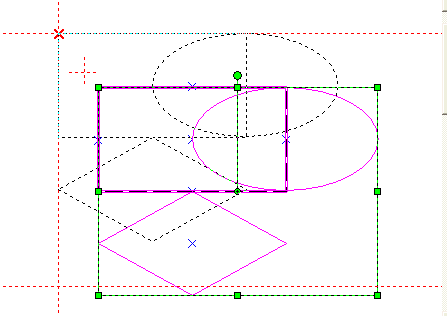 |
|
|
Arc
and Pie with two anchor points
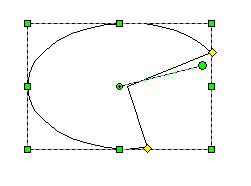 |
|
|
|
Drawing
helper class with over 100 help methods |
|
|
|
Drag
and drop shape from canvas to toolbox |
|
|
|
Drag
and drop shape between two canvas |
|
|
Layers
support
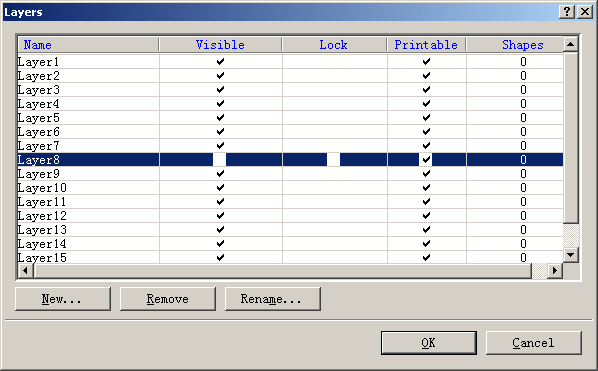 |
|
|
Drawing
from center (Like AutoCAD Application)
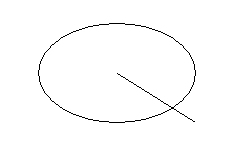
|
|
|
|
Glue
to intersect point |
|
|
Setting
Shape Order with a specify shape
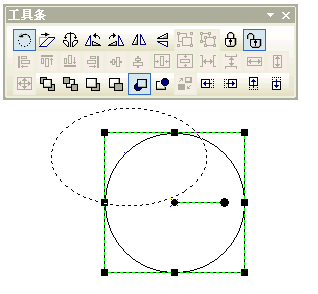 |
|
|
|
Exchange
the order of two selection shapes |
|
|
|
Move
one or multiple shapes to front of any select shape |
|
|
|
Move
one or multiple shapes to backward of any select shape |
|
|
|
Convert
any shape to path shape |
|
|
Merge
shapes,
Before:
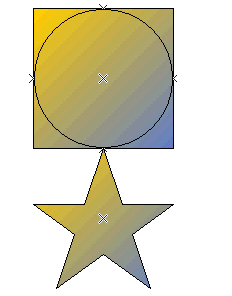
After:
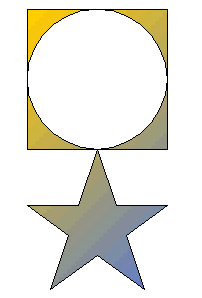 |
|
|
Combine
Shapes
Before:
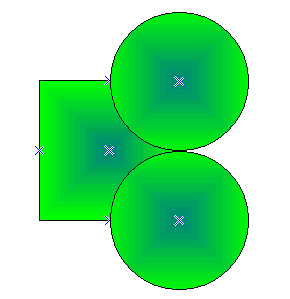
After:
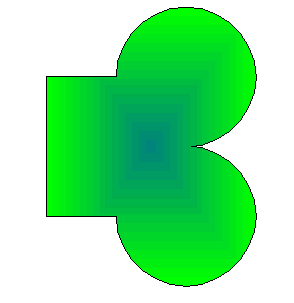
|
|
|
Split
Combine Shapes
Before:
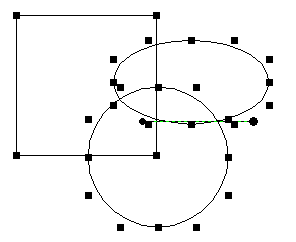
After:
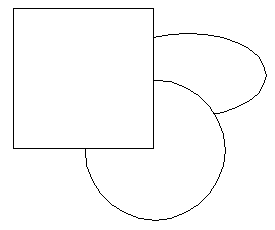 |
|
|
Merge
with intersect shapes:
Before:
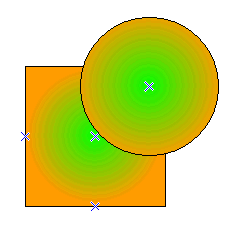
End:
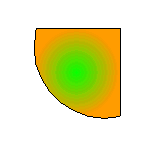 |
|
|
Merge
with subtract
Before:
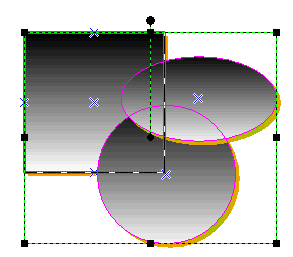
After:
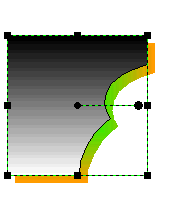 |
|
|
Connect
lines or curves
Before:
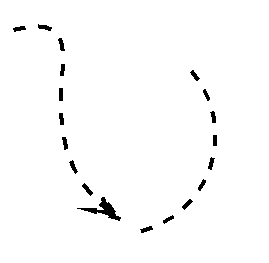
After:
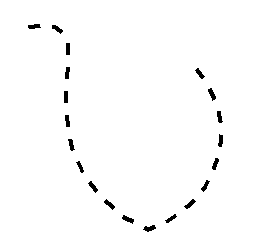
|
|
|
Split
any shape to lines
Before:
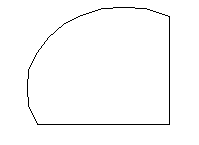
After:
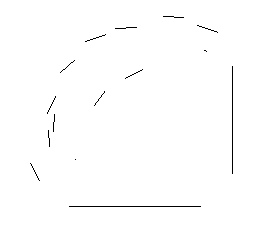
|
|
|
Close
any open shape
Before:
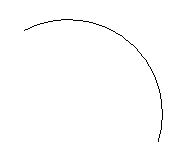
After Closed:
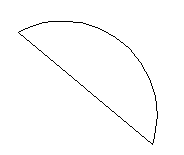
|
|
|
Shear
Shapes
Before:
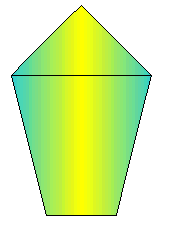
After:
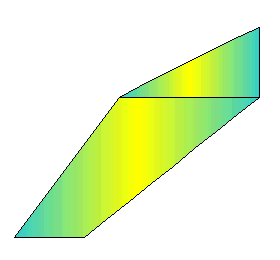
|
|
|
Bend
Shapes
Before:
After:
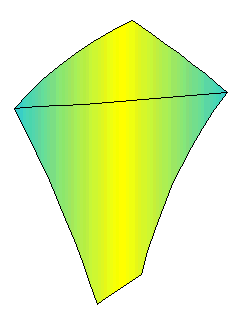 |
|
|
Convert
to path shape
Before, it is a rectangle:
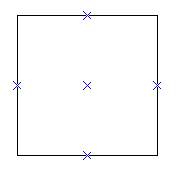
After, it is a path shape and vector can be edited:
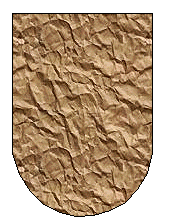 |
|
|
Add
or removing the vector of curve shape
Before:
After:
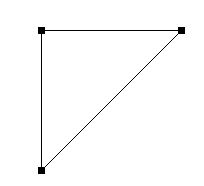 |
|
|
|
Over
9 new style port shape |
|
|
Distribution
Shapes
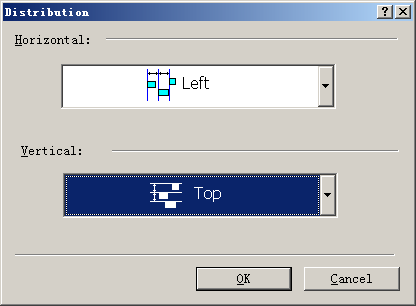 |
|
|
Quick
link editing (Showing Quick editing icon below any shapes)
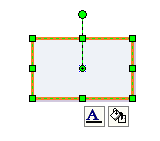 |
|
|
New
Advance Grid
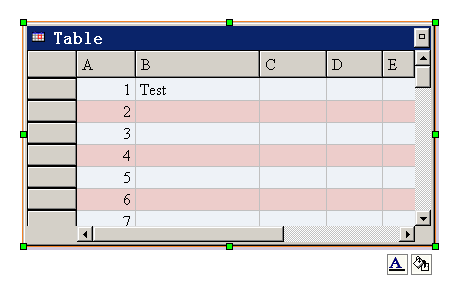 |
|
|
Visio
Like up - right break center link line
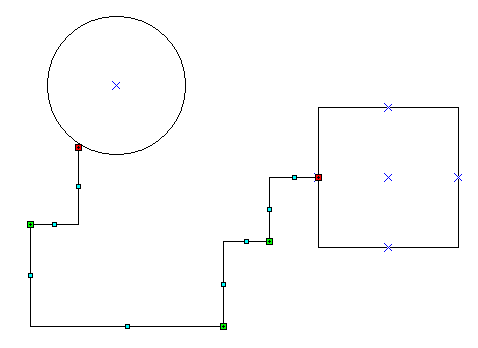 |
|
|
Visio
Like break center link line
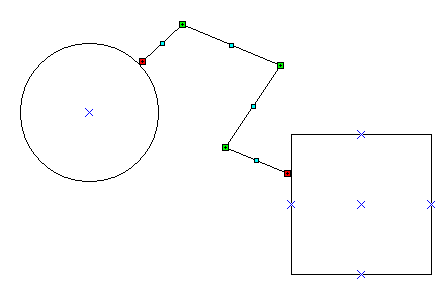 |
|
|
Link
with route and bridge style
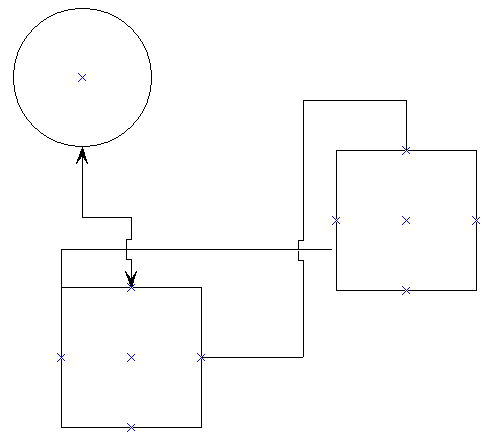 |
|
|
Advance
path line editing feature
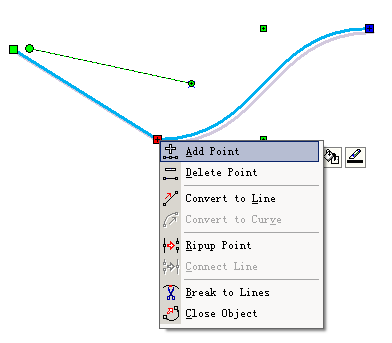 |
|
|
|
Open
and play GIF89a file |
|
|
|
Insert
OLE Shape |
|
|
|
Freeform
drawing |
|
|
|
Image
mirror and free rotating |
|
|
|
Image's
properties editing |
|
|
Convert
any text to path shape
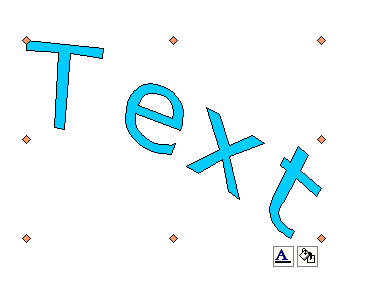 |
|
|
|
Dup
editing mode (Background editing and front editing) |
|
|
|
Workflow
Solution |
|
|
|
Gauge
Solution |
|
|
|
Mind
map solution |
|
|
Round
- Corner Link Line
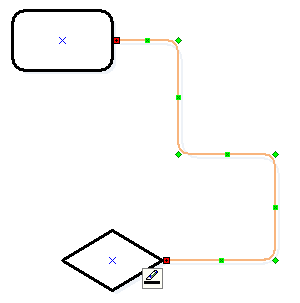 |
|
|
Rich
Text Drawing, Editing and Printing
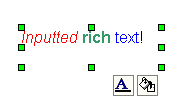 |
|
|
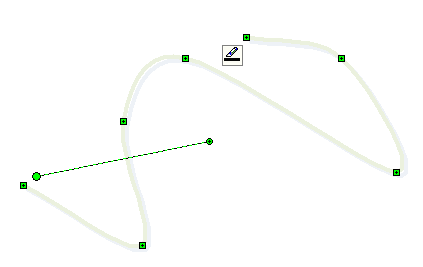
New
style curve line
 |
|
|
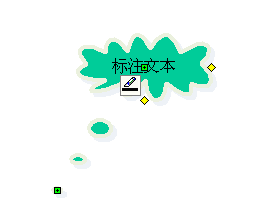
Callout
shape (Cloud callout shape, rectangle callout shape, round -
rectangle callout shape)
 |
|
|
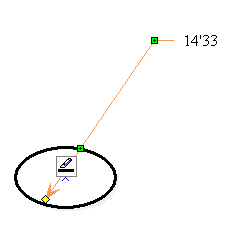
Radius
Dimension Line, Horz Dimension Line, Vert Dimension line
 |
|
|
|
Theme
And Colors (Like Microsoft Visio 2007) |
|
|
|
Curve
Link |
|
|
|
Sub
Graph Shape |
|
|
|
Post
Number Input Shape |
|
|
|
EditBox
with Drop Calc Picker |
|
|
|
currency
input shape |
|
|
|
Auto
Size font shape |
|
|
|
EditBox
with drop date picker |
|
|
|
EditBox
with drop menu |
|
|
|
Calendar
shape |
|
|
|
EFormDesigner
Sample |
|
|
|
EFormReader
Sample |
|
|
|
Multiple
DataModel Printing (See sample CardPrint) |
|
|
|
One
Click Link |
|
|
|
Database
Design Diagram Solution |
|
|
|
CWnd
Base Canvas (See sample DialogTest) |
|
|
|
Toolbar
drop bitmap picker |
|
|
|
Auto
Scroll |
|
|
|
Double
buffer drawing |
|
|
|
C#
Form Solution |
|
|
|
DiagramEditor with it's 100% VC++
Source Codes |
|
|
|
Full Visio - Like Custom Property
Values Define |
|
|
|
Import SVG XML File |
|
|
|
Export SVG XML File |
|
|
|
Convert EMF or WMF to SVG File |
|
|
|
Advance Link - Port Editing |
|
|
|
Panning Window with Zooming
Slider Bar |
|
|
|
Allow over 10,000 shapes within
one canvas |
|
|
|
HMI Solution |
|
|
|
SCADA Solution |
|
|
|
BPMN Solution |
|
|
|
UML Solution |
|
|
|
Gauge Dashboard Solution |
|
|
|
Link line with anchor |
|
|
|
Multiple Status Building Tool
with VC++ Source Codes |
|
|
|
Layer Graph Layout |
|
|
|
Tree Graph Layout |
|
|
|
More than 10 new style links |
|
|





 E-XD++Visual
C++/ MFC Products
E-XD++Visual
C++/ MFC Products



 XD++
Professional Edition -- it is
designed for building professional flow diagramming applications only.
XD++
Professional Edition -- it is
designed for building professional flow diagramming applications only.


